Clips
Clips built from the whole story
A clip can now be cut from more than one moment, so it keeps the setup and lands the payoff with the dull middle dropped. You get one short clip that makes sense to someone who never saw the stream.
10 updates3 updates2 updates3 updates1 update1 update
A clip can now be cut from more than one moment, so it keeps the setup and lands the payoff with the dull middle dropped. You get one short clip that makes sense to someone who never saw the stream.
When your gameplay is on screen, your camera sits over the game. When it is not, you take the whole face. Your clips now follow the video instead of holding one framing for the whole clip.
A VTuber model, a drawn character or a cut-out of yourself now gets the same camera over game layout. If your avatar is the thing viewers watch, your clips show it beside the game the way a webcam would.
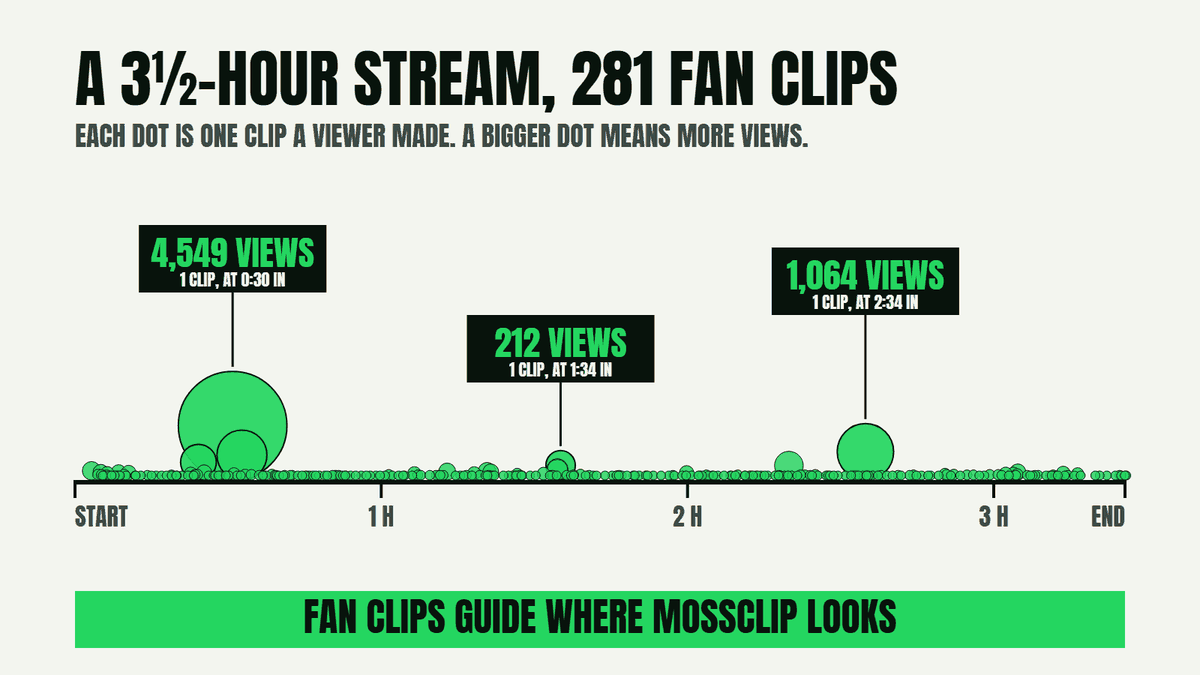
Paste a Twitch link and the moments your viewers already clipped help choose your clips. The parts of the stream your chat cared about are the first places we look.
Search stock video in the editor and drop it straight onto the words being spoken. You choose full screen or half, and the insert runs for the length you select.
A long video can now come back with up to 12 clips, so a stream leaves you a full set. You get more chances at the moments worth posting.
The editor has a Layout button that takes you straight to the framing controls for that clip. You move the camera and the game, save, and come back to your edit with the new framing.
Clips now run until the thought is finished, not until the first reaction. Your clip lands the line that made the moment worth sharing.
Send a finished clip to your phone with a QR code or a link, then post it yourself from there. You can ask for a reminder email so the clip reaches you at the hour you want to post.
Anyone can make an account now, with Google or an email link. Join our Discord and register your email there to try it free: two hours of video and two styled clips.
3 updates2 updates1 update
Blackboard, Notebook and Collage: pick one and every clip in the job is drawn in that look. You get a finished vertical video with the drawings, the lettering and the captions already in it.
Each clip now carries a score and one line saying why, and your clips are listed best first. You can see which moments came out strongest without watching all of them again.
You can delete a finished project from your Projects page or from its results. It leaves your account and its shared link stops working.
3 updates1 update1 update1 update
Paste a Twitch or Kick recording link and choose the part you want from the recording's own chapters. A long YouTube video works the same way: pick the part you want, up to two hours of it.
Paste a Google Drive link, a Dropbox link or a direct video address and it becomes a project. You see the file's name and size before you start, and you are told straight away if it is not shared.
Tick the box when you start a job and we email you when the clips are ready, with the link and how long they stay. If a job fails you get the reason too, so you are not left wondering.
Showing every update
Real outputs made with Mossclip. The creators shown are not affiliated with Mossclip.
Anyone can sign up. Join our Discord for two free hours and two styled clips.