What a clipper needs.
- 1
Volume from one recording
Pay follows views, so one long recording should give a batch of clips, not one. Look at how much of the recording a tool takes in one go and how many candidates it returns.
- 2
No login from the creator
You rarely own the channel you are clipping. The tool should start from a public link or a file, not from an account you connect.
- 3
A look of your own
Other clippers may be working the same recording. Caption styles you can change and words you can rewrite keep your posts from looking like everyone else's.
- 4
Speed
The sooner a good clip is posted, the longer it has to collect views. Look for fixes that take seconds, such as cutting a clip by deleting words.
What comes out.
Each of these came out of a longer video, already cut, titled and captioned.
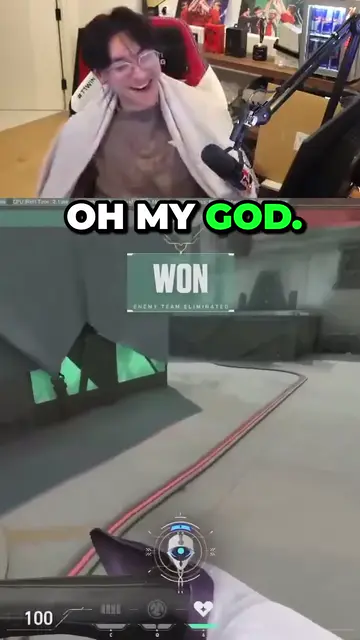
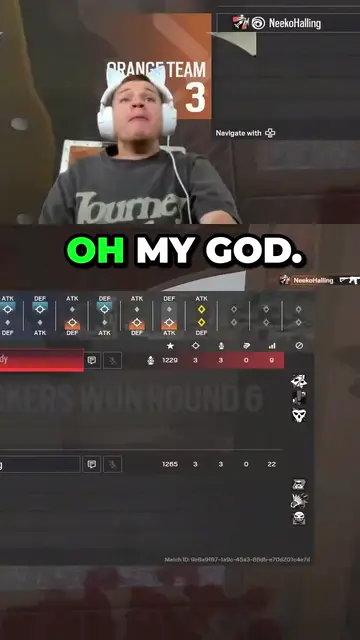
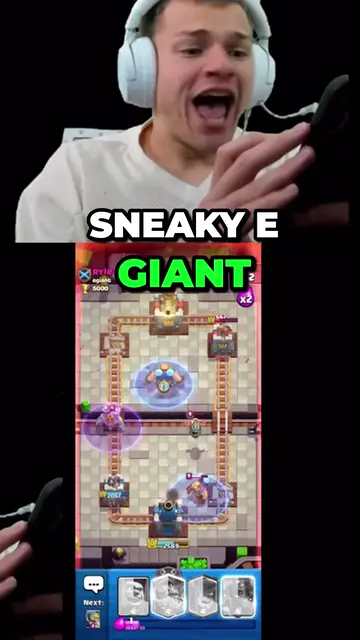
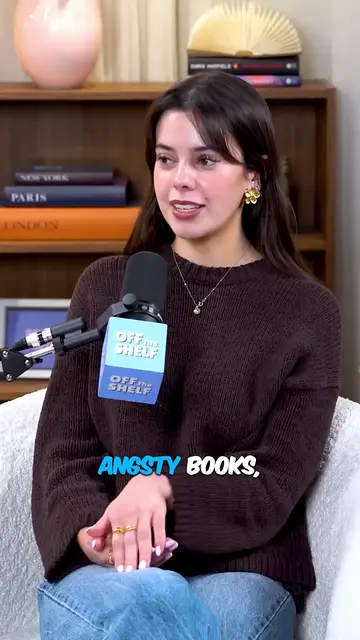
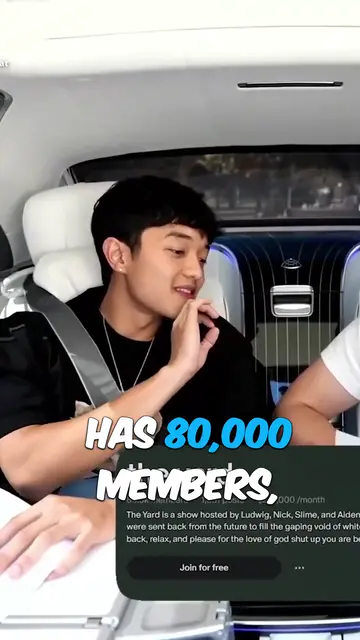
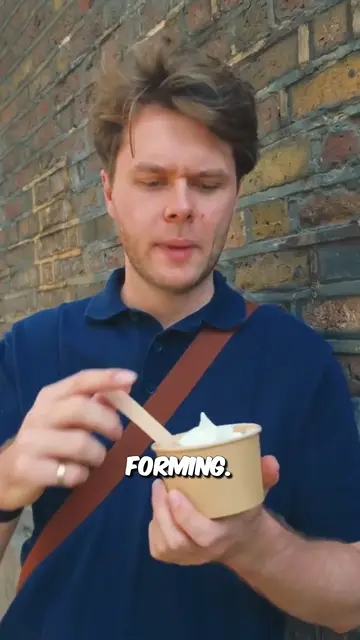
Real outputs from the beta. The creators shown are not affiliated with Mossclip.
Free during the closed beta. Sign in, join the Discord, press one button and you’re in.
Get clipsMossclip
Mossclip asks for a recording, not an account. Paste a YouTube, Twitch or Kick link, or upload a recording as an MP4 or MOV. One job takes up to two hours of recording. A longer recording is accepted by its link: the whole recording appears as a strip, and you choose the part by dragging the block, pressing a chapter if the recording has them, or typing the times.
Write what the campaign wants in one sentence before the job starts. Mossclip finds the moments from the transcript, and on streams also from the sound and the picture, so a moment with nothing said is still found. In one job a 59-minute interview gave 36 candidate moments, of which the best 9 were kept.
Each clip comes back vertical at 1080 by 1920, between 15 seconds and 3 minutes long, with a title and every word captioned. Restyle or rewrite the captions and your posts do not have to look like anyone else's.
- Finds the facecam wherever it sits and stacks it over the game. Drag either crop, save the layout, apply it to the whole batch, and pick it again for the next job.
- Delete words in the transcript and the video loses exactly those seconds. Nine caption styles, every word editable.
- Podcasts, interviews and vlogs get a crop that follows the speaker.
- Clips stay available for 15 days.
- Mossclip is free during its closed beta. Join the Discord server, press one button, and your account is open.
Ssemble
Ssemble takes a link from YouTube, Vimeo, Kick or Twitch, or a file you upload, and its AI detects moments, keeps faces centred in vertical formats and adds captions. It also runs Clip Rewards, which it calls a marketplace for clipping: you join a campaign, post clips, and earn for every 1,000 verified views. Ssemble says its own campaigns pay through Ssemble and partner campaigns pay out on Whop. Mossclip takes up to two hours of a recording in one job and lets you cut a clip by deleting words.
OpusClip
OpusClip turns long videos into short clips; it says it analyses a long video against current social trends and identifies the highest-potential moments. Its help centre lists YouTube, Twitch and Kick among the links it supports, and its pricing page shows Twitch as an import source on the Pro plan. Its editor has text-based editing and a timeline, and it applies your brand colours, fonts and logo to each video. Mossclip takes Twitch and Kick recording links while it is free in beta.
StreamLadder
StreamLadder says it is built specifically for live streaming. Its AI clipper, ClipGPT, takes a Twitch or Kick recording by link and a YouTube stream as a file you upload, and scores each moment it finds from 0 to 100 for virality. Captions can use its suggested styles or your own saved branding. Mossclip takes the YouTube stream by its link as well.
WayinVideo
WayinVideo's link importer lists YouTube, Twitch and Kick among its sources, and its help centre says a public or properly shared link is all you need. Its AI Clipping is automatic, and a separate tool, Find Moments, searches a video from a prompt. For gameplay it can place the camera footage at the top and the gameplay below. It charges one credit per minute of video you put in; Mossclip is free during its beta.
Eklipse
Eklipse is built around connecting your own Twitch, Kick or YouTube channel. It clips gaming streams first, tuned per game, and has a separate YouTube and podcast feature. Mossclip needs no channel: a clipper works from the recording's link.
How paid clippers are paid
Whop's documentation describes Content Rewards as a marketing tool: creators make content about a brand and the brand pays them for the number of views they get. In a clipping campaign, creators turn the brand's long-form content, such as podcasts, livestreams and webinars, into short clips for TikTok, YouTube Shorts, X and Instagram Reels.
The brand sets how much creators earn per 1,000 views and a campaign budget. Creators post to their own social media accounts, the brand approves the submissions that follow its requirements and rejects the ones that do not, and after approval Whop pays based on the number of views. A campaign can also set a minimum payout before a video reaches review, and a maximum payout that caps what one video can earn.
Rates differ from campaign to campaign. Whop's blog said in March 2025 that Content Rewards clippers are paid $1 per 1,000 views on average, and that the brand sets its own rates. Ssemble says the same of its Clip Rewards marketplace: each campaign sets its own reward per 1,000 verified views.
How this guide was written
Everything said here about Whop, or about a tool other than Mossclip, comes from that company's own pages, read on 4 October 2026 and listed at the foot of this page. The tools are given without scores or rankings. Features, plans and campaign rules change, so check each site before you decide.
Questions.
How are paid clippers paid?
Per 1,000 views. Whop's documentation says the brand sets how much creators earn per 1,000 views and a campaign budget, and that Whop pays after the brand approves a submission. Each campaign sets its own rate.
Do I need the creator's login to clip their stream?
No. Mossclip asks for a recording, not an account. Paste a YouTube, Twitch or Kick link, or upload a recording as an MP4 or MOV. Clip only footage the campaign or the creator lets you use.
How many clips can one recording give?
It depends on the recording. In one job a 59-minute interview gave 36 candidate moments, of which the best 9 were kept.
How do I make my clips look different from other clippers' clips?
Change what the viewer sees and reads. In Mossclip you can pick from nine caption styles, rewrite any caption, move and resize the camera and game crops, and cut the clip by deleting words from its transcript.
Can I use Mossclip for Whop campaigns?
Yes. Mossclip makes the clips from the long recording. It is not part of Whop, so follow each campaign's own rules on what to clip and how to submit.
Is Mossclip free?
Mossclip is free during its closed beta. Join the Discord server, press one button, and your account is open.
Sources, read on 4 October 2026: Whop docs: Content Rewards, Whop blog: Content Rewards, Ssemble, Ssemble Clip Rewards, OpusClip editor, OpusClip pricing, OpusClip help: video sources, StreamLadder ClipGPT, StreamLadder vs Opus Clip, WayinVideo help: upload sources, WayinVideo help: game clipping, WayinVideo help: clip length and prompts, WayinVideo pricing, WayinVideo gaming clip generator, Eklipse Twitch clip maker, Eklipse Studio, Eklipse vs OpusClip.
Your next clip
is already
recorded.
Free during the closed beta. Sign in, join the Discord, press one button and you’re in.