Same clip. Three looks.
Captions are the start. Pick Blackboard, Notebook or Collage and Mossclip draws every clip of the job in that look: a finished vertical video, with nothing left for you to animate.
Make a clipFree during the closed beta. Sign in, join the Discord, press one button and you’re in.
- Three looks
- Drawn for you
- Finished 9:16 video
- About 3 min to make each
Blackboard
Chalk drawings and hand-written captions on the footage, and a blackboard for the big moments.
- A chalk outline around whoever is speaking
- Captions written by hand, the key words in yellow
- A full blackboard when a line deserves the whole screen
Good for explainers, lessons and strong opinions: clips where one idea has to land.
Notebook
Pen notes drawn on the footage, and notebook pages for the big moments.
- The key word circled by hand, right on the footage
- Captions in pen handwriting
- A notebook page when a moment needs room
Good for conversations, interviews and stories, where the speaker should stay in view.
Collage
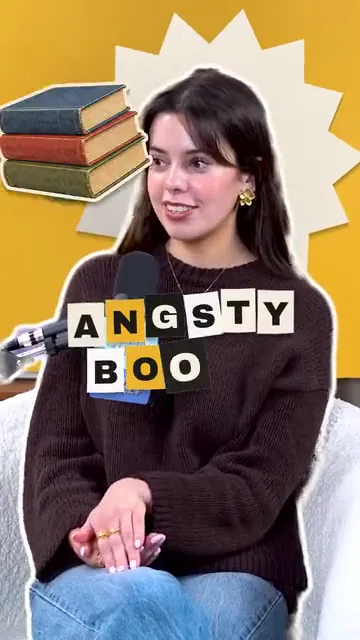
A stop-motion paper collage: cut-out photos, paper letters, pieces placed by hand.
- The speaker cut out and set on coloured paper
- Headlines built from paper letter tiles
- Cut-out photos of the things being talked about
Good for reviews, rankings and hot takes: the loudest of the three.
Link in.
Look on.
- 1youtube.com/watch?v=…Get clips
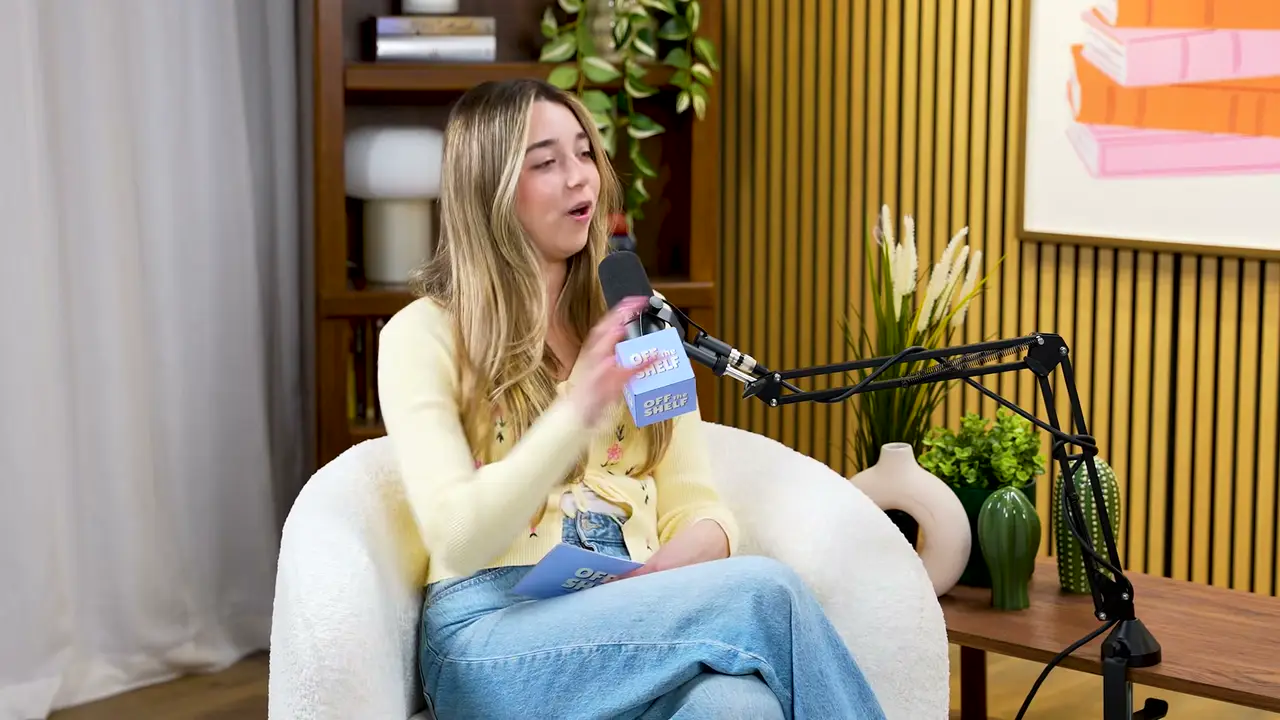 The long video
Paste a link or upload
A YouTube, Twitch or Kick link, or an MP4 or MOV file.
- 2
Pick a look
Captions, Blackboard, Notebook or Collage. One choice covers every clip in the job.
- 3
Get clips
Mossclip finds the moments and draws the look on each one, about three minutes a clip. You can close the page: the finished videos will be in Projects.
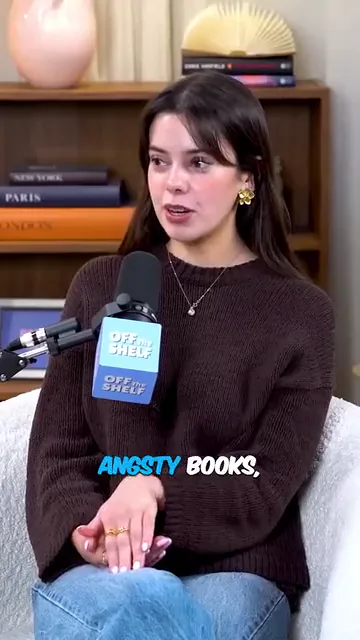 Captions
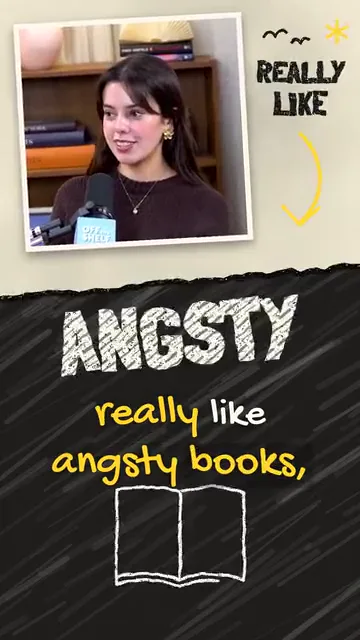 Blackboard
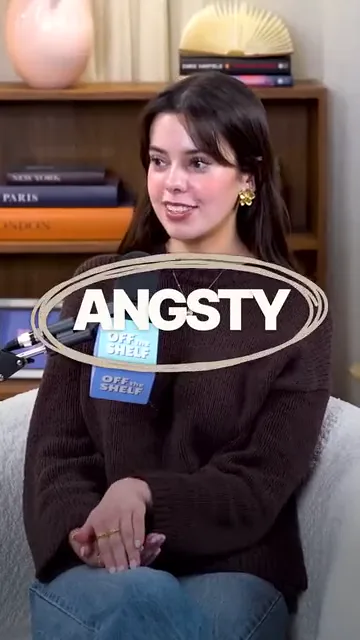 Notebook
 Collage
What you get.
A finished video
Every styled clip is a finished 9:16 video. Download it and post it.
About three minutes a clip
That is how long a look takes to draw. The job keeps going if you close the page.
Part of the picture
The drawings are part of the picture, so a styled clip cannot be opened in the caption editor. For word-by-word edits, pick Captions.
Counted by the minute
A styled clip counts once for each started minute of its length. A clip with plain captions never uses that count.
Styled clips come with every plan: Starter has 5 a month, Creator 30 and Studio 100. Plans start at $9 a month. See pricing
Questions.
What is a look?
A look is a finished style for the whole clip. Besides ordinary captions, Mossclip makes clips in three looks. Blackboard is chalk drawings and hand-written captions on the footage, with a blackboard for the big moments. Notebook is pen notes drawn on the footage, with notebook pages for the big moments. Collage is a stop-motion paper collage of cut-out photos and paper letters.
Do I have to design or animate anything?
No. You pick the look before the job starts. Mossclip finds the moments in your video and draws the look on each clip.
How long does a styled clip take?
About three minutes a clip. You can close the page while it works, and the finished videos will be in Projects.
Can I edit a styled clip afterwards?
The drawings are part of the picture, so a styled clip cannot be opened in the caption editor. If you want to change words or the caption template afterwards, make the job with Captions, where every word stays editable.
Can I give a look to a clip I already made?
Yes. A clip made with ordinary captions has a Restyle button on its card. Press it and choose a look for that clip.
How are styled clips counted?
A styled clip counts once for each started minute of its length: a 40-second clip counts as 1 and a 90-second clip as 2. A clip with plain captions never uses that count. Starter has 5 a month, Creator 30 and Studio 100. The pricing page has the plans.
Real outputs from the beta. The creators shown are not affiliated with Mossclip.
Pick a look.
We draw it.
Free during the closed beta. Sign in, join the Discord, press one button and you’re in.