The manual method.
- 1
Set up a 9:16 project
In any editor with layers and a crop tool, make a 1080 by 1920 project and trim the recording to the moment you want.
- 2
Crop the facecam
Put the recording on two layers. On the upper one, crop to the camera, scale it to the full width of the frame and move it to the top.
- 3
Crop the gameplay
On the lower layer, crop to the part of the screen where the action happens. Keep the full height of the game if you can, cut the sides, and fill the rest of the frame.
- 4
Caption and check
Add captions on the calmest band of the picture, then watch the clip on a phone with the app's buttons showing.
What comes out.
Each of these came out of a longer video, already cut, titled and captioned.
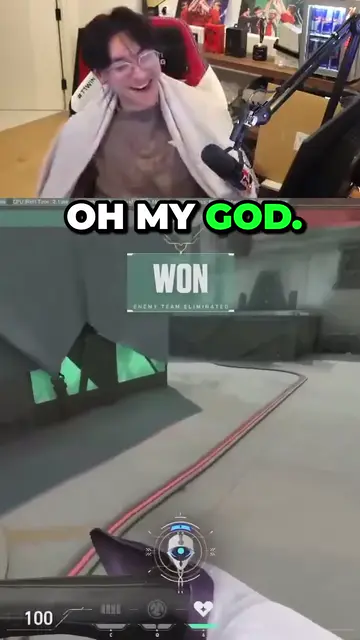
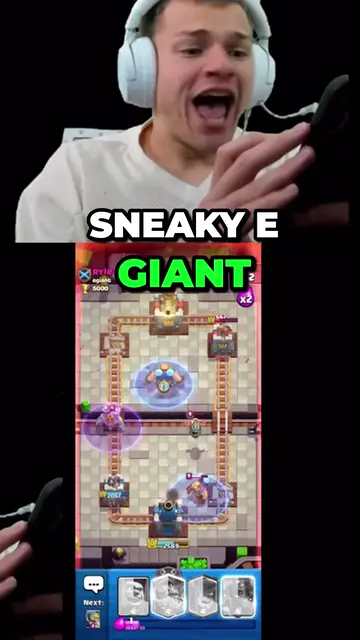
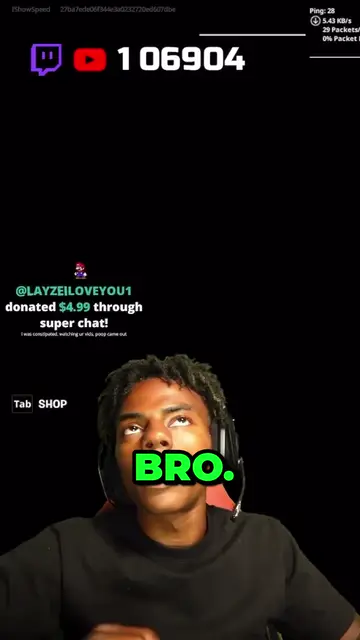
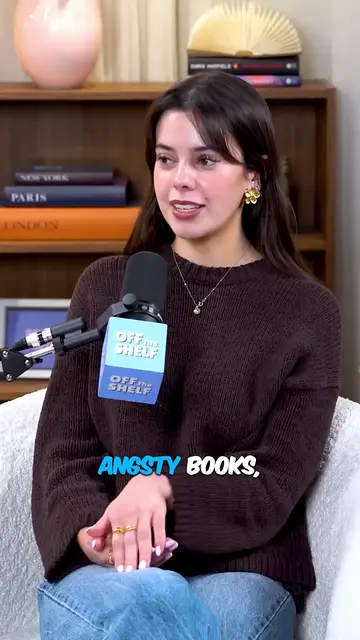
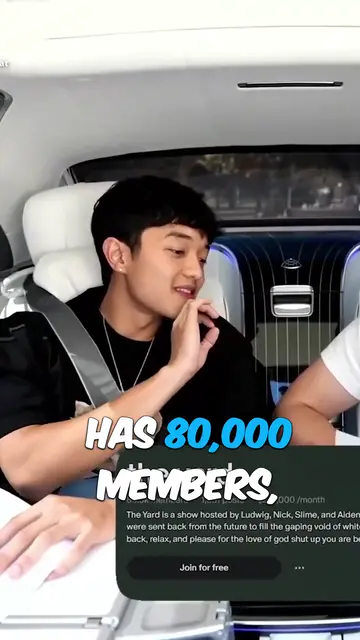
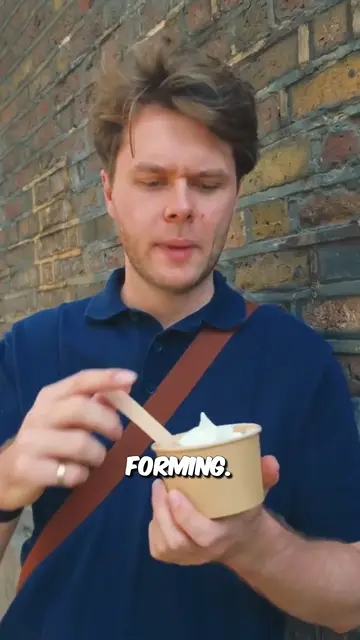
Real outputs from the beta. The creators shown are not affiliated with Mossclip.
Free during the closed beta. Sign in, join the Discord, press one button and you’re in.
Get clipsWhy a centre crop fails
A stream is laid out for a wide screen: the game fills a 16:9 frame and the camera sits in a corner. A 9:16 crop taken from the centre keeps less than a third of the picture's width. The corner with the camera is cut off, and so is anything the game draws at the edges, such as the map, the kill feed or the ammo count.
A crop that follows the streamer's face has the opposite problem. The face fills the frame and the play it is reacting to is gone. A stream clip needs both.
The stacked layout
The layout that keeps both is a stack. The facecam is cropped out of its corner, enlarged to the full width of the frame and placed across the top. The gameplay is cropped separately and placed below it. The viewer sees the reaction and the play together, one above the other.
It works for a camera in a bordered box and for a streamer who is cut out over the game with no box. For a cut-out, crop a rectangle around the streamer. Some of the game behind them will show in the camera panel, and that is fine.
Sizing the two crops
Start with the game, because it needs the room. A whole 16:9 frame scaled to the 1080-pixel width is only about 608 pixels tall, under a third of the 1920-pixel height. So the game panel has to be a crop of the screen, not the whole screen. Keep the full height of the game where you can and cut the sides, centred on where the action happens.
Give the camera what is left. It only has to hold the head and shoulders. The facecam is a small part of the recording, so enlarging it to the full width makes it softer; start from the highest-resolution recording you can get.
- The game gets the larger panel, cropped around the crosshair or the character.
- The camera runs the full width across the top, with no black bars at the sides.
- If the camera box falls inside the game crop, shift the crop so it is not shown twice.
- Anything the clip depends on, such as the kill feed or the score, stays inside the game crop.
Where captions go
Captions have three things to avoid: the face, the part of the game that matters, and the app's own text. Look at the cropped game panel and find its busy parts: the crosshair or the character in the middle, and whatever made it into the crop from the edges, such as the kill feed.
Put the captions on the calmest band. Often that is the line where the two panels meet, where a caption covers the bottom of the camera panel and the top of the game panel. If the kill feed sits at the top of your game panel, move the captions lower or shift the game crop until both are clear. Show a few words at a time so the captions stay on one or two short lines.
The safe areas on TikTok, Shorts and Reels
TikTok, YouTube Shorts and Instagram Reels all draw their own controls over a clip. The right edge carries a column of buttons, and the bottom carries the account name and the post's text. Anything you put there, whether a caption, a face or the kill feed, ends up underneath them.
So keep the parts that matter away from the bottom of the frame and from the right edge. A stacked clip helps: the face sits at the top, far from the text at the bottom. The reliable test is to watch the clip on a phone, in the app, before you post a batch.
How Mossclip does it in one job
Mossclip builds the stacked layout as part of finding the clip. Paste a YouTube, Twitch or Kick link, or upload a recording as an MP4 or MOV. It finds the moments from the transcript, the sound and the picture. It finds the facecam, whether it sits in a bordered box or is a cut-out of the streamer, and stacks it over the gameplay in a 1080 by 1920 clip with every word captioned.
Both crops can be moved and resized on any clip. Save the result as a layout, apply it to the whole batch, and choose it when you start the next job from the same streamer, so the sizing is done once. Captions come in nine styles and can be restyled or rewritten, and deleting words from the transcript cuts those seconds from the video.
One job takes up to two hours of recording and returns clips between 15 seconds and 3 minutes long, each with a title.
Questions.
Why not crop the middle of the stream?
A 9:16 crop from the centre of a 16:9 stream keeps less than a third of the picture's width. The facecam in the corner is cut off, and so is anything the game draws at the edges.
Should the facecam go on top or at the bottom?
On top is the usual choice. The apps put their own text over the bottom of a clip, so a face at the top stays clear of it.
What size should a vertical gaming clip be?
1080 by 1920 pixels, which is the 9:16 vertical shape. Mossclip makes its clips at that size.
Do I have to place the two crops on every clip?
By hand, yes, unless your editor lets you save the arrangement. Mossclip finds the facecam and stacks it for you, and a layout you adjust can be saved, applied to the whole batch, and chosen when you start the next job from the same streamer.
Does it work when the streamer is cut out over the game with no box?
Yes. Mossclip finds the facecam whether it is a bordered box or a cut-out. By hand, crop a rectangle around the streamer and use that as the camera panel.
Is Mossclip free?
Mossclip is free during its closed beta. Join the Discord server, press one button, and your account is open.
Your next clip
is already
recorded.
Free during the closed beta. Sign in, join the Discord, press one button and you’re in.