- 75 → 970MetRighteous TV's median Short views: his earlier Shorts, then the ten Mossclip made from one stream
Where each sound goes.
- 1
Whoosh on the first second
Every clip opens with a whoosh, so the first second moves while a viewer decides whether to swipe. Pick a ding or a boom for the opening instead, or no sound.
- 2
Boom on the punchline
Mossclip finds the moment the clip is built for, the joke, the crash, the jump scare or the "oh no", and lands a vine boom on it, set against how loud the voices are so it never drowns them.
- 3
Zoom and flash with the boom
On the boom the picture punches in on the face, holds a moment and snaps back, with a quick white flash. On a stacked clip the zoom stays on the facecam, so the game below keeps still.
- 4
3D emojis and a hook line
Each clip gets a short hook line on top, and any emoji in it is drawn as a 3D image. Turn the hook line off if you want only the video and captions.
What comes out.
Each of these came out of a longer video, already cut, titled and captioned.
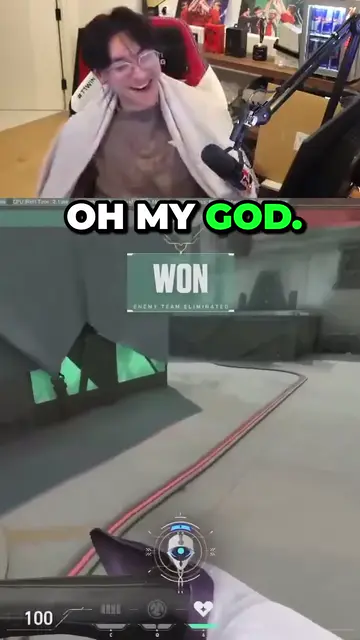
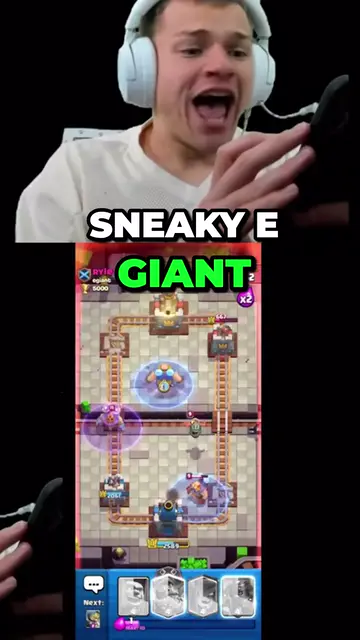
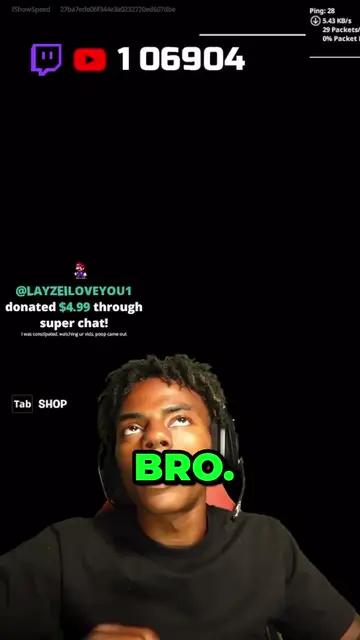
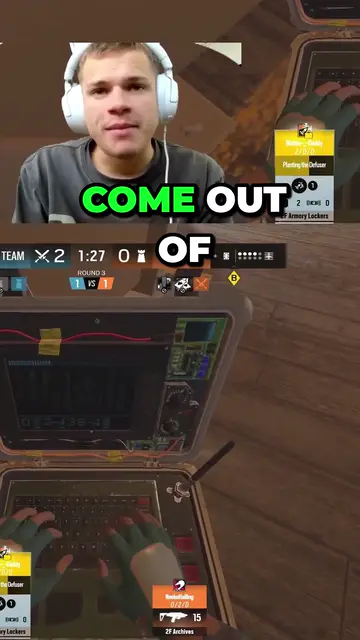
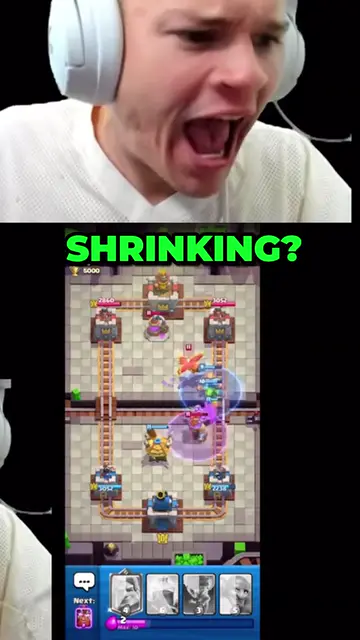
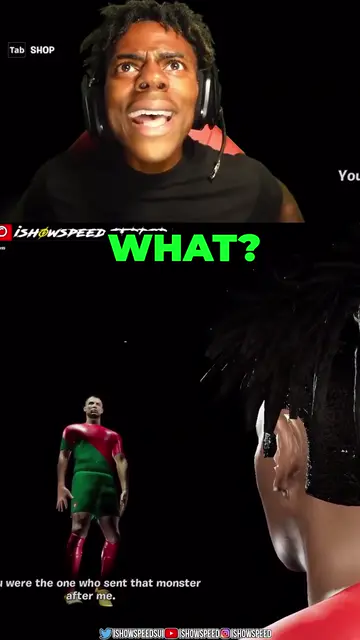
Real outputs made with Mossclip. The creators shown are not affiliated with Mossclip.
Sign up with Google and your first 30 minutes are free. Join our Discord for two hours and two styled clips.
Get clipsWhy the sounds matter
A clip editor cutting a streamer's best moment by hand adds the same three things: a whoosh so the first second moves, a boom on the punchline and a zoom on the face as it lands. Viewers know the rhythm from a thousand clips, and it tells them when to laugh.
Mossclip does it on every clip of the batch, so a two-hour stream comes back as Shorts that already sound edited.
Change it on any clip
Choose the sounds before a job, or open a finished clip and pick another sound or none. The clip is remixed from its original audio, so nothing is stacked on top of the old sound.
Everything else on the clip
Finds the facecam wherever it sits and stacks it over the game. Drag either crop, save the layout, apply it to the whole batch, and pick it again for the next job.
- Captions timed to every word, in nine styles.
- A hook line on top that names the streamer on Twitch and Kick streams.
- Clips come out clean: the full 1080 by 1920 with no watermark.
Questions.
Is there an AI clipper that adds vine boom and whoosh sound effects automatically?
Yes. Mossclip opens every clip with a whoosh and puts a vine boom on the punchline when there is one, with a punch-in zoom on the face and a quick flash. Paste the stream link and the sounds come in the finished Shorts.
Can I turn the sounds off?
Yes. Pick no sound, or another sound, before a job, or change it on any finished clip.
Does the boom cover what people say?
No. The boom is set against how loud the voices are at that moment, and the voices around it stay as they were.
Does it work while I'm still live?
Yes, on Twitch and Kick: paste the live channel and the latest two hours come back as Shorts with the sounds in. On a plan, Keep clipping does every new two hours until the stream ends.
Is there a watermark?
Clips come out clean: the full 1080 by 1920 with no watermark.
What does it cost?
Sign up with Google and your first 30 minutes of video are free. Join our Discord server and that becomes two hours, plus two styled clips, once. Paid plans start at $9 a month.
Your next clip
is already
recorded.
Sign up with Google and your first 30 minutes are free. Join our Discord for two hours and two styled clips.